Star-TEC Toolbox for Cadstar
Do
you need additional Tools for ...

-
Design verification
-
Information retrieval
-
Design aids
-
Data Management
-
Import / Export of data
.. then ToolBox for Cadstar can help you improve your design processes and save valuable time..
Design Verification
Current Checker - scans your PCB design to locate undersize track segments and tells you the required values to fix the problem. Just select the copper weight and the required current (either globally or by individual net);
Testability Checker - locates un-testable nets and allocate them for you. Choose the type of testland, pitch and side, then let the Checker do the work!
Information Retrieval
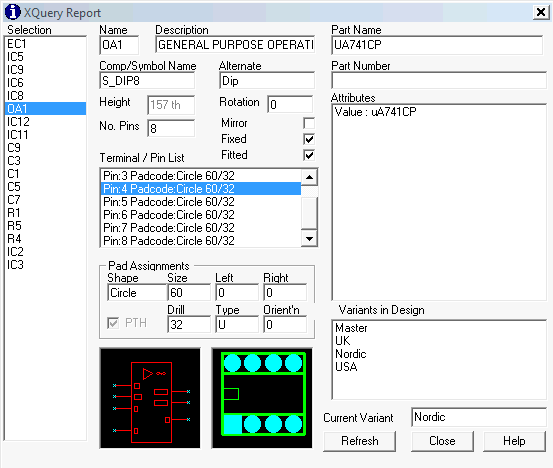
Extended Query - lets you view all the information you need in one screen; library fields, attributes, assignments and placement data. Just select a range of Symbols or Parts (works in both Schematic and PCB Layout), then XQuery gathers all the data you need into one place.
FindIt! - lets you locate and highlight those difficult to find items:- Parts, Symbols, Components, Attributes, Nets and Pad codes, across the whole design. Great for listing every node on a net and lets you jump to each point in the design.
CAD File Management
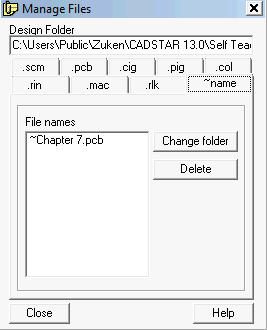
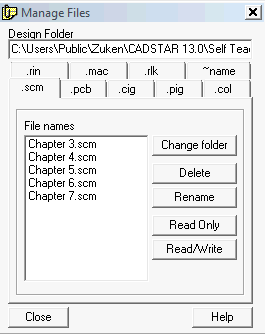
Manage Files - allows you to delete, rename, edit or change properties for all those hard to find files associated with Cadstar. Includes support for design lock files, .rin (back annotation) files, .cig and .pig (ECO exclusions) files, .rlk (router lock) files, .scm and .pcb design files. Also includes the option to change Read / Write status of any file, and navigate to any folder.
Export
IPC-D-356 Export - will generate a netlist in IPC-D-356 format netlist to help your board manufacturer verify the Gerber data matches your netlist. Supports both -356 and -356A format.
IDF - Export - helps you check whether the PCB fits in the enclosure before you track the design! Create a set of IDF files (Board and Library) that include the Board Profile and placement data, that you can then load into your 3D MCAD system (ProENGINEER, SDRC, SolidWorks, Mechanical Desktop, etc) to create a 3D model of your board.
Import
IDF - Import - lets you Import and update Board Profile and critical placement data from your 3D MCAD system (ProENGINEER, SDRC, SolidWorks, etc).
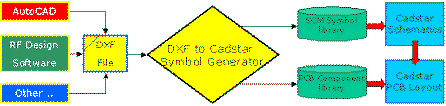
Import DXF - will generate a Schematic symbol or PCB component directly from DXF data, invaluable when loading 'copper component' shapes from an RF microwave design package or simply importing a complex component shape. Click on the image below for more details....